phren

Phren learns and recalls.

Findings, fragments, tasks, truths, skills, and sessions across machines. Private markdown. Git-backed. No database.

$ npx @phren/cli init
One command. Creates ~/.phren, wires MCP, installs hooks.
Add a project
phren add from any repo.
Already have one?
phren init picks it up.
Prepares your context. Stays out of your way.

01
Phren listens and learns

Phren catches findings, links fragments across projects, and figures out what matters. Gets sharper over time.

02
Follows you everywhere

Git syncs after every response, pulls on open. Your knowledge travels with you, not your machine.

03
Browse it all

Terminal shell and graph, web UI, VS Code sidebar, iOS app. Browse findings, fragments, and the full knowledge graph. Search across projects.

Three hooks.

SessionStart on open
git pull sync from remote
detectProject(cwd) match to phren project
inject(context) instructions enter context window
UserPromptSubmit every message
extractKeywords bigrams, stopword filter
fts5.search synonyms, sub-ms lookup
trustFilter decay, citation, threshold
inject(top3) budget-capped context
Stop after response
git commit save changes
background push rebase on conflict

Your agents forget.
Phren doesn't.

Packs light.

CLAUDE.md dumps everything every time. Phren searches, ranks, and surfaces only what matches. About 550 tokens instead of the whole file. Less noise, lower cost.

CLAUDE.md
bloated
Phren
550 default
Same brain, every tool.

Switch agents, switch machines. Phren keeps up. What you figured out in Claude this morning is already there when you open Cursor tonight. Good stuff sticks. Bad stuff fades.

Claude Code Copilot Cursor Codex
Claude ♥ phren

Built for each other.

Claude asks a question. Phren already looked it up. The findings, the gotchas, the thing that broke last time. All there before the first token.

Look at what phren knows, wherever you are.

Terminal, browser, editor, phone. Same markdown, same findings, same tasks. Pick a way in.

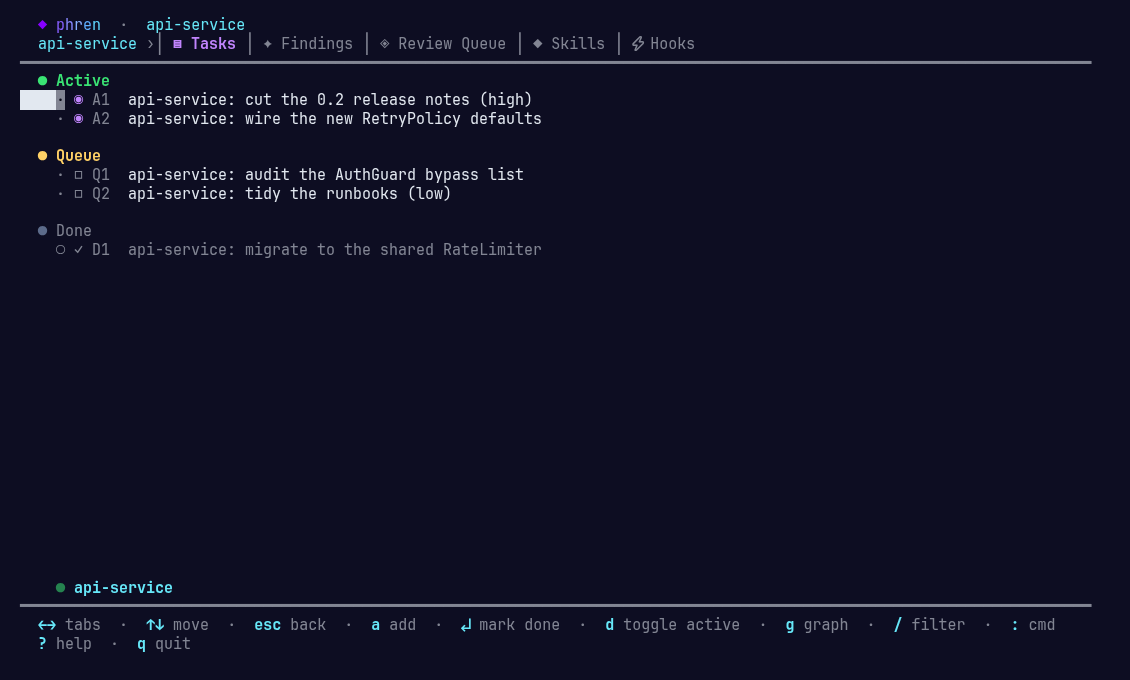
phren shell
In the terminal

Access phren directly.

Browse what phren knows. Check on tasks. Review the queue. Type : for the command palette. Deep-link a keybinding straight to a view.

phren shell --view tasks --here
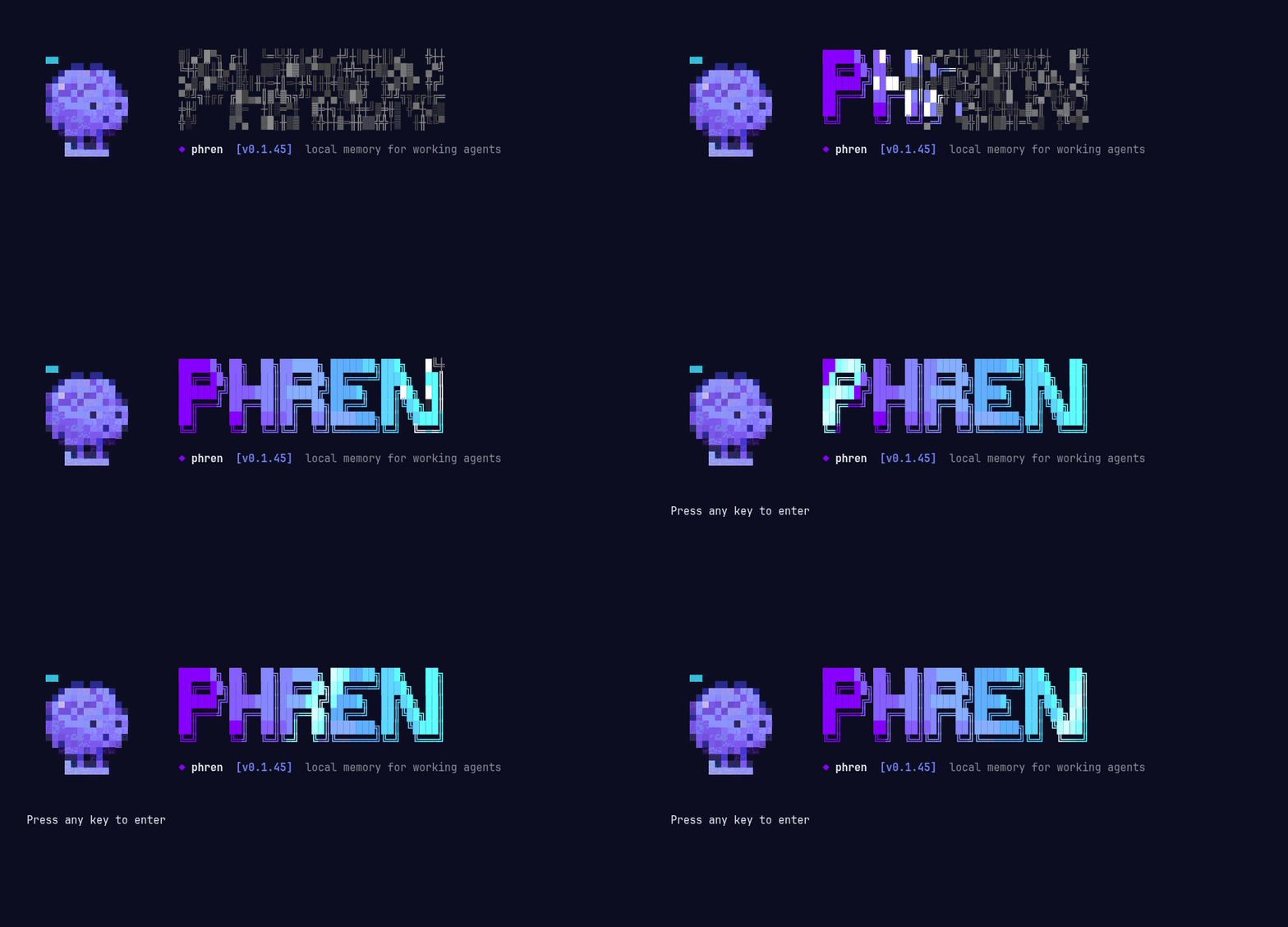
phren splash: the wordmark decrypts into place

Opens with a splash: the mascot beside the wordmark, revealed with a decrypt effect and a light beam.

Shell guide →
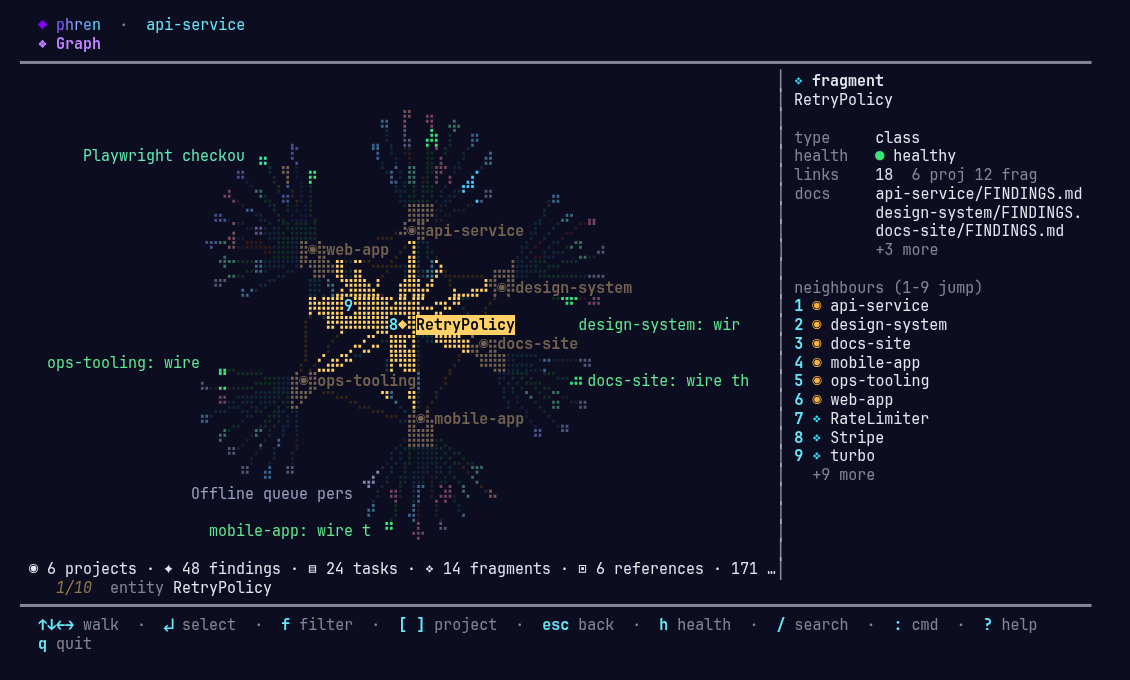
phren shell Graph view: the knowledge graph drawn in the terminal, with a search for retry lit up and the RetryPolicy fragment selected
In the terminal

Walk the knowledge graph without leaving the shell.

The same graph as the web viewer, drawn on a braille canvas. Projects cluster, findings take their topic colour, fragments bridge projects. The layout is deterministic, so the same store always draws the same map. Press v and it becomes a sphere you can drag around; in watch mode, every recall lights its node and phren walks over to it.

phren shell --view graph
walk to the connected node that way 19jump to a numbered neighbour spaceread the whole node in a bubble / nsearch, fly to the best hit, cycle hits [ ] ffocus a project, cycle filter presets vorbit: the graph in 3D — drag to turn, wheel to zoom, click to select wwatch: recalls land live, with a bubble at the node
Graph keys →
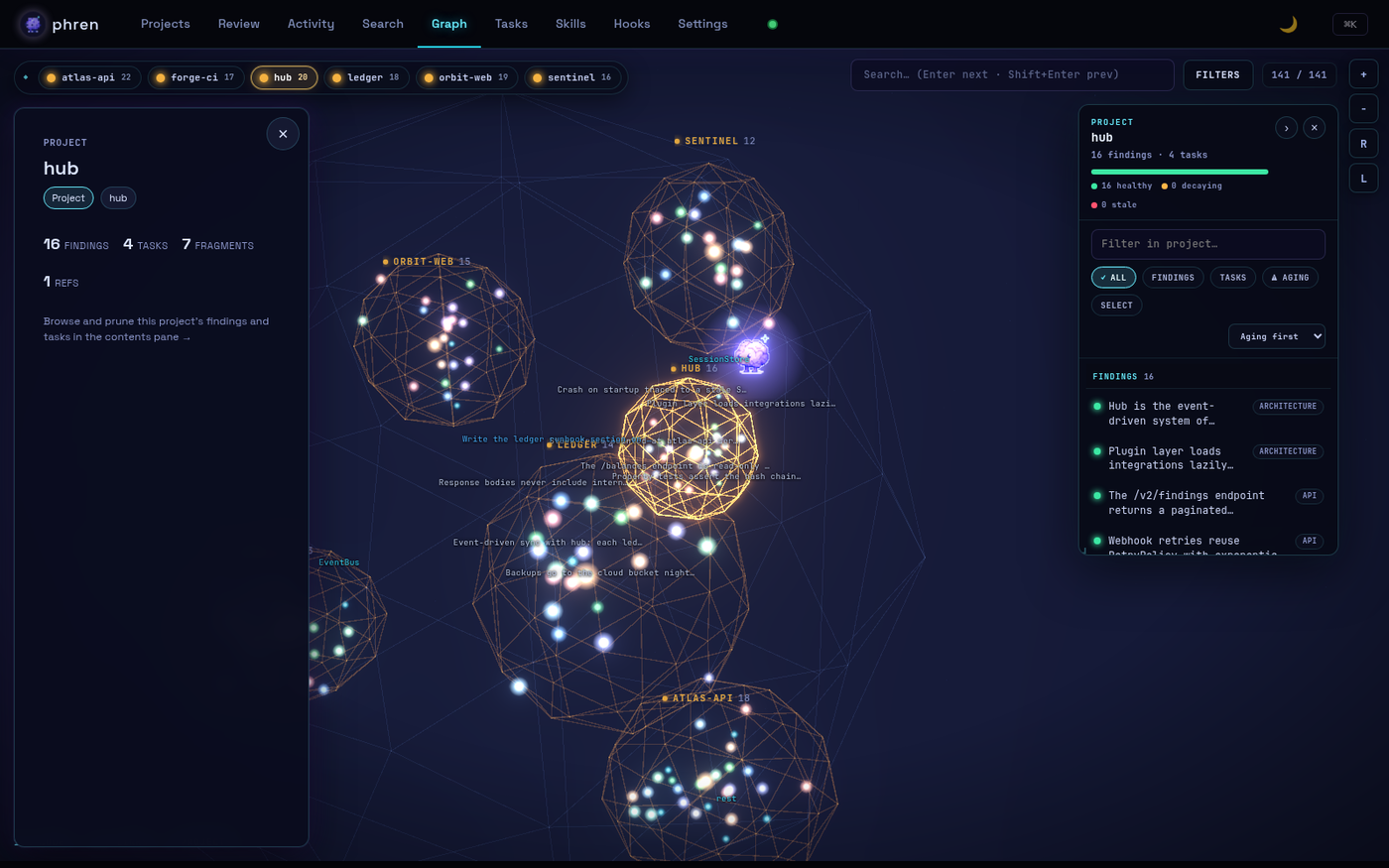
phren web UI, Graph tab: projects as wireframe orbs with findings inside, the hub project focused, and the contents pane listing its findings
In the browser

See everything phren holds.

Run phren web-ui for the 3D map: projects as containment fields, findings, tasks and fragments inside them, quality scores, and what needs your attention. Review, edit, merge and prune from the contents pane.

phren web-ui
Memory viewer guide →
The phren memory viewer running inside VS Code, the same graph the web UI shows
In your editor

Browse phren without leaving VS Code.

Projects, findings, tasks, fragments, skills, hooks and sessions in the activity bar, and Ctrl+Shift+K to search. Add, review and push without leaving the editor.

The graph panel runs the same viewer as the web UI — one renderer, two hosts.

ext install phren-vscode
Extension →
Reviewlive
alaarab/phren-store · main
pattern · web-app
Route handlers return typed Result objects so the RateLimiter middleware can short-circuit cleanly
ApproveEditReject
pitfall · api-service
Pino redaction paths must list nested headers explicitly or bearer tokens leak into logs
ApproveEditReject
decision · mobile-app
Offline queue persists to SQLite and replays through the same RetryPolicy
ProjectsReviewTasksSearch
On your phone

Review what your agents learned, from anywhere.

A native SwiftUI app. Sign in with GitHub, pick your store repo, and the findings, notes, tasks and review queue appear within seconds of a hook pushing a commit. Approve, edit, or throw out what is wrong. Widgets for the Home and Lock Screen, and “Hey Siri, add a task to phren”.

Serverless: the app talks to the GitHub REST API only, and the token never leaves the Keychain.

phren for iOS →
herdr⌘⇧P → phren
phren shell popped over a Herdr layout, showing this project's tasks
In your workspace manager

One key. This project's phren.

The Herdr plugin binds the shell to a keybinding: tasks, findings and the review queue for whatever project the pane is sitting in, popped over your layout and gone again when you close it.

herdr plugin install alaarab/phren/integrations/herdr
Herdr plugin →
phren-agent opening with the phren splash
Experimental

An agent that starts every session already knowing.

phren-agent is a coding agent with phren as its memory: it opens with the project's gotchas, active tasks and past decisions loaded, writes new findings as it works, and triages the review queue with you. It lives in the monorepo, is not on npm, and is maintained at a lower bar than the CLI.

phren-agent -i
Agent guide →

Share Knowledge With Your Team

A team store is a git repo full of phren knowledge. Share it with your teammates and everyone's findings flow through the same place. Keep as many as you like, one per team, company, or client.

01
Make a git repo

Any empty git repo will do. Run phren store add and point it at the remote. Phren fills in the structure.

02
Share the repo with teammates

They run the same phren store add against the repo URL. That's it. Phren pulls on open and pushes after each response.

03
Add as many as you want

No cap on stores. One for your team, one for the company, one for a client. Search runs across every store at once.

59 MCP tools built in.
Skills for the bigger stuff.

MCP tools handle search, capture, review, and sync. Skills are shortcuts for larger jobs. Global skills live in ~/.phren/global/skills/, project skills in ~/.phren/<project>/skills/. Project skills override global ones with the same name.

/phren-init
Point phren at a new project. Sets up files and starts learning.
/phren-consolidate
Tidies up. Finds patterns, deduplicates, promotes what matters.
/phren-discover
Scans a project for gaps and surfaces opportunities you missed.
/phren-sync
Pull phren to a new machine or push config changes back to the repo.
+ your own
Global: ~/.phren/global/skills/
Per-project: ~/.phren/<project>/skills/

One brain. Every agent.

[PATTERN]
fts5.search: sub-ms lookup, same hits in every agent
phren · just now · trust 0.92

MCP and hooks. Same knowledge, same findings, no matter which tool you're in.

Your knowledge, your repo.

No API calls. No third party.
Findings tagged with sessions, linked to tasks, surfaced before every prompt.